

why choose us
Quality Assurance
OPTICO has passed ISO9001-2015/CE/CPR/ROHS/FCC certification and have reliability test reports from 3rd party lab.
Strong Production Capacity
OPTICO has developed its total production area to 20,000 square meters, and has 400 production and testing equipments.
Professional Team
OPTICO team will respond you within 12 hours to provide the most suitable rather than the most expensive solutions.
Responsibility
With OPTICO scientific quality monitoring and warehouse tracking system, it solves every unexpected problem honestly and quickly.
What is Data Center
A data center is a facility that centralizes an organization’s IT operations and equipment for the purposes of storing, processing and disseminating data and applications. Because they house an organization's most critical and proprietary assets, data centers are vital to the continuity of daily operations. Consequently, security and reliability are among any organization’s top priorities.


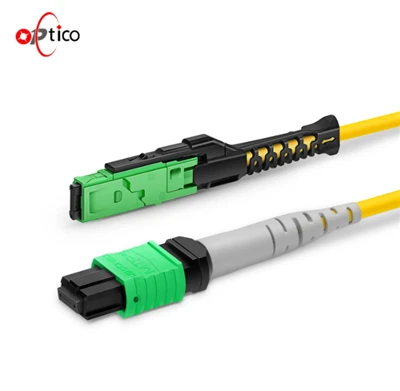


Advantages of Data Center


Cost savings
Data center consolidations lead to cost savings via:
Reduced operational expenses. With less equipment and/or sites, there is less to maintain, less staffing required, and fewer software licenses needed.
Reduced energy consumption. Servers can be virtualized onto fewer, but highly energy efficient, servers.
Smaller footprint. A decreased need for space allows organizations to rent less space in colocation facilities or repurpose existing facilities.
Increased efficiency
Right-sizing data centers and getting the most out of your existing resources is a major benefit of a data center consolidation. This is achieved by:
Optimizing resource utilization. Finding and shutting down ghost servers reduces energy waste and makes it easier to consolidate. Fewer servers and other equipment leads to better utilization rates, minimizing wasted resources and overall energy consumption.
Implementing efficient cooling practices. With a smaller footprint, cooling requirements can be more efficiently met, and it is simpler to leverage modern cooling practices and technologies.
Modernizing data center infrastructure. A consolidation project is a great opportunity to invest in intelligent rack PDUs, hot/cold aisle containment, and other energy-efficient infrastructure.
Enhanced security
Data center consolidations can improve data center security because of:
Fewer access points. A smaller footprint means less entrances and a smaller perimeter to surveil and secure.
Fewer racks. With less cabinets to safeguard, it's easier to monitor them and keep your data secure.
Streamlined security operations. Teams can focus their efforts and resources on a smaller number of locations, resulting in better monitoring and quicker response times to security incidents.
Simplified management
A consolidated data center is easier to manage via:
Reduced complexity. Downsizing sites, systems, and resources results in a more manageable and less distributed environment that is easier to monitor, maintain, and troubleshoot.
Centralized management. With less to manage, you have better visibility and control over resources, enabling more efficient management of all data center components.
Streamlined processes. A consolidation is an opportunity to reassess and optimize processes by eliminating redundant or outdated procedures.
Simpler disaster recovery. With fewer data centers, it is easier to implement and manage backup and recovery strategies.
Improved sustainability
Consolidating your data center helps you comply with corporate sustainability initiatives by:
Reducing energy consumption. Eliminating underutilized or redundant systems drives data center energy efficiency.
Maximizing utilization of existing resources. Recovering stranded capacity and deferring the construction of new data centers reduces your carbon footprint.
Reducing waste. A data center consolidation project promotes the reduction of e-waste and the responsible disposal of outdated or obsolete equipment.
Environmental certifications. Consolidations are a great opportunity to reduce carbon emissions, adopt more sustainable behaviors, and obtain a certificate such as LEED.
Types of Data Center
Enterprise data centers
These are constructed, owned and utilized by companies for their own internal computing needs. Enterprise data centers are custom-built to meet the requirements of the organizations who own them and are housed on-premises.
Managed services data centers
Managed data centers are deployed, managed and monitored by third-party service providers. Companies opt for a leasing model and can access data center features and functions using a managed service platform. This eliminates the need to purchase equipment and infrastructure.
Colocation data centers
Colocation data centers allow businesses to rent space within an off-premises physical facility which hosts the infrastructure, including power supplies, cooling and security. The business provides and manages its own components, such as computing hardware and servers.
Cloud data centers
This is an off-premises variation of a data center. Cloud-based data centers offer businesses leased, hosted infrastructure, which is managed by a third-party service provider, allowing customers to access resources via the internet.
Computing Infrastructure
Computing infrastructure consists of servers, which are systems or devices that can receive, store and share data with other computers and devices. Servers accomplish these tasks through memory, storage and processing capabilities. These are the most common types of servers data centers use:
Rack servers: Rack servers are flat, rectangular servers meant to be stacked on top of each other on shelves. This is an efficient setup designed to make room for each server to have its own cooling fans, cables, power supplies and other features.
Blade servers: Blade servers can be stacked on top of each other in a smaller storage space known as a chassis. The chassis provides network and power resources, giving blade servers greater processing power and energy efficiency than rack servers.
Mainframes: Mainframes are more advanced than typical servers, being able to handle billions of calculations in real time. While technically a computer, a mainframe acts as a server and can complete the same amount of work as a room of rack or blade servers.
Storage Infrastructure
Data centers must have some kind of storage system in place, so servers can manage company data. Below are a few types of storage methods:
Direct-attached storage (DAS): True to its name, DAS refers to a storage system that is directly connected to a server. This system allows only the host computer to access data. Any other devices must go through the host computer first to reach the data.
Network-attached storage (NAS): NAS leverages an Ethernet connection to give multiple servers data storage and access abilities. Data centers can then store massive amounts of files, making this method ideal for cultivating media archives.
Storage area network (SAN): While similar to NAS, SAN possesses a more intricate network of servers, hardware and software. SANs also use a separate network dedicated solely to data, increasing their data storage capabilities compared to NAS.
Network Infrastructure
A system of cables, switches and routers connect servers to each other and enable the flow of data throughout a data center. At the same time, data centers can monitor and regulate data traffic through firewalls, preventing cyber threats from infiltrating data center networks.
Support Infrastructure
Companies and customers need data centers to be reliable storers and providers of data. To ensure seamless operations, data centers are equipped with additional features:
Uninterruptible power supplies (UPS) sustain data centers during outages and surges.
Power generators run data centers during more extreme outages.
Ventilation and cooling systems keep servers at a reasonable temperature.
Fire suppression systems put out fires quickly to prevent damage to data centers.
Properly spaced power cables prevent cross-talk and overheating.
Redundant array of independent disks (RAID) makes copies of data as a precaution.

A data center contains a network of servers, with each server possessing memory, storage space and a processor — similar to a personal computer, but much more advanced. Servers are also linked to each other through internal or external connections, so they can communicate with each other to receive, store and share data. To keep servers’ workloads manageable, data centers rely on software to group servers and distribute workloads among these groups.
While data centers are still physical facilities, modern data centers often feature a combination of physical and virtual servers as a result of virtualization. Virtualization takes memory, storage space and other hardware components of computers and allows them to be divided among virtual computers, or virtual machines (VMs). A VM may only contain a part of the physical computer’s hardware, but it still acts like a computer.
This transition to a virtual, cloud-based approach enables data centers to better manage resources, applications, services and workloads. Data centers can now accomplish more while using less hardware and resources, making them more scalable as they take on greater workloads and adapt to changing customer needs.
There are no required or obligated standards for data center design or construction. A data center is intended to fit the unique needs of the overall business, not the reverse. However, the primary purpose of any standard is to establish a common platform of best practices. An assortment of current data center standards exists, and a business can incorporate one or more standards -- or parts of standards -- into a data center project. Standards help ensure adequate attention is placed on these factors, among others:
● Conceptual design.
● Layout and space planning.
● Building construction requirements.
● Physical security issues.
● Building internals (mechanical, electrical, plumbing and fire systems).
● Operations and workflows.
● Maintenance.
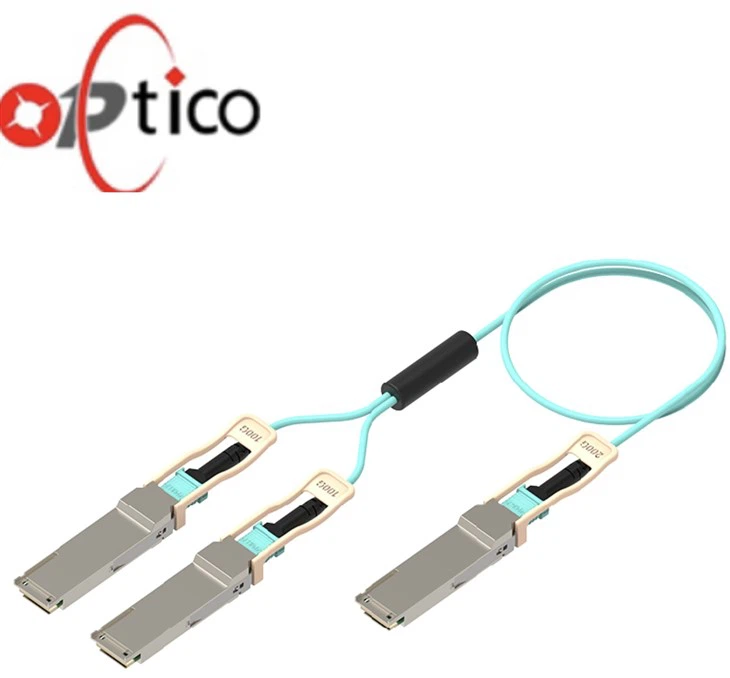
Data Center Security Considerations
The data center is no longer a closed environment with static, hardware-based computing resources but an environment with a mix of traditional and cloud computing technologies. The hybrid cloud data center helps IT organizations deliver greater business opportunities but also introduces new risks.
Data centers that span multicloud environments offer a larger attack surface, which can translate into increased complexity in networking and cybersecurity. It is critical to maintain full visibility and precise control of your data center regardless of the architecture. It is also important to implement a best practice methodology for data center security independent of the individual environments you’re running.
Legacy security infrastructures are generally flat network architectures that rely on a perimeter firewall as their only point of traffic inspection and control. Since network boundaries don’t exist as they used to, and most data center traffic is east-west, traditional port-based firewalls provide limited value in a cloud and mobile world.
For security to be effective, it must deliver perimeter security as well as build trust zones within an organization’s internal network. This ensures that traffic between apps and services of different trust levels is filtered in real time, using security services such as intrusion prevention and Domain Name System (DNS) security. The same level of protection must extend to public clouds to ensure consistent network security and segmentation in hybrid environments as well.

Data centers first emerged in the early 1940s, when computer hardware was complex to operate and maintain. Early computer systems required many large components that operators had to connect with many cables. They also consumed a large amount of power and required cooling to prevent overheating. To manage these computers, called mainframes, companies typically placed all the hardware in a single room, called a data center. Every company invested in and maintained its own data center facility.
Over time, innovations in hardware technology reduced the size and power requirements of computers. However, at the same time, IT systems became more complex, such as in the following ways:
●The amount of data generated and stored by companies increased exponentially.
●Virtualization technology separated software from the underlying hardware.
●Innovations in networking made it possible to run applications on remote hardware.
6 Considerations for Choosing the Right Data Center
Location
6 Considerations for Choosing the Right Data CenterThe first big consideration for selecting a data center is the location. You should try to find a reliable collocation service provider near your business with minimal chances of natural disasters. Most collocation centers consider this aspect while building their facility. However, you should do additional due diligence to ensure that your infrastructure remains secured in cases of natural calamities.
Make Sure the Data Center is Well-Equipped
It is very important to ensure that the data center under consideration is well-equipped with backup solutions for all primary components, such as HVAC, fire, power, etc. Ensure the data center has disaster recovery plans in case of mishaps, power failures, etc.
Reliability
A collocation provider and business is bound by a SLA agreement (Service Level Agreement), which guarantees maximum network uptime, power service and temperature stability. Most data centers provide SLAs as part of their contract, and you need to evaluate those carefully before making a decision. Reliability is measured in terms of uptime of a data center, and a reliable data center should have 99.995% uptime.
Viability
While dealing with a data center provider, you should look at whether the company has a strong history and experience. Your data center should be able to support you for at least 5 years. Do your research; read press releases, bulletins or check the financial credibility and financial security of the company before you hand over your data to them.
Network Connectivity
One of the most valued benefits of a data center is its ability to interconnect within a shared space. This type of interconnection will add value to your business, so it is important to check if the chosen data center provider possesses a large ecosystem of clients or customers who are already interconnected.
Scalability
You may expand your business in the future, so you need to check whether the current data center is sufficient enough to meet long-term business needs. Also, find out what flexible hosting plans they offer. You should have the ability to scale up (or down) based on your business needs seamlessly.
Check the positioning of raised floor tiles.
Ensure that the raised floor tiles are positioned in the right places. Arrange perforated tiles at hot spots and solid tiles in places with no loads. This will help in directing cool air to the places, wherever it is required.
Use blanking panels.
If the data center has a hot-aisle and cold-aisle arrangement, use blanking panels to cover unused spaces over the racks to avoid hot air from entering into the cold aisle. It will help in eliminating hot spots and improving the cooling capacity. Up to 25% racks possess hot spots due to inefficient cooling.
Check under the floor tiles.
Many times, floor tile checks are not performed due to laziness. By checking air distribution beneath the tiles and eliminating obstacles in the air supply plenum, more cooler air can be made available to servers.
Position racks properly.
Ensure the racks and CRAC units are properly positioned. Many times, hot spots may result due to close positioning of the CRAC unit and racks. The high air velocity from CRAC bypasses cool air from the first rack, therefore building a hot spot.
Share the cooling load by spreading high-density servers.
Share the cooling load by spreading high density servers around. This will help to minimize data center hot spots and ensure efficient cooling without adding to additional costs.
Mistakes to Avoid In Data Center Design
Mistakes to Avoid In Data Center DesignMost businesses fail to acknowledge that the Total Cost of Ownership (TCO) approach is necessary to balance expenditures and improve working efficiency of their data centers. At times, operations teams are excluded from the facility design, which requires continuous modifications and repairs.
Many businesses avoid maintenance software for cost-saving reasons. However, enormous documentation is required to manage data center operations. A well-managed Computerized Maintenance Management System (CMMS) helps assign, schedule and track all facility maintenance activities.
Change Control processes should be implemented to ensure everything is working properly within the data center. Ideally, all work conducted in data centers should have a written procedure, and any implementation should be conducted only after seeking an expert opinion.
Many companies assume that their processes are perfect and require no further upgrades. They forget that no procedure or process will work forever; processes need to change and adapt. In order to make this more efficient, every procedure and process should be documented and a feedback section should be added at the end to measure variances and suggest improvements.
Companies try to save on TCO by ignoring their staffing requirements. In a data center environment, underestimating staffing can be risky. It is important to employ a workforce for emergency response, maintenance of equipment and managing vendors.
International Certificates

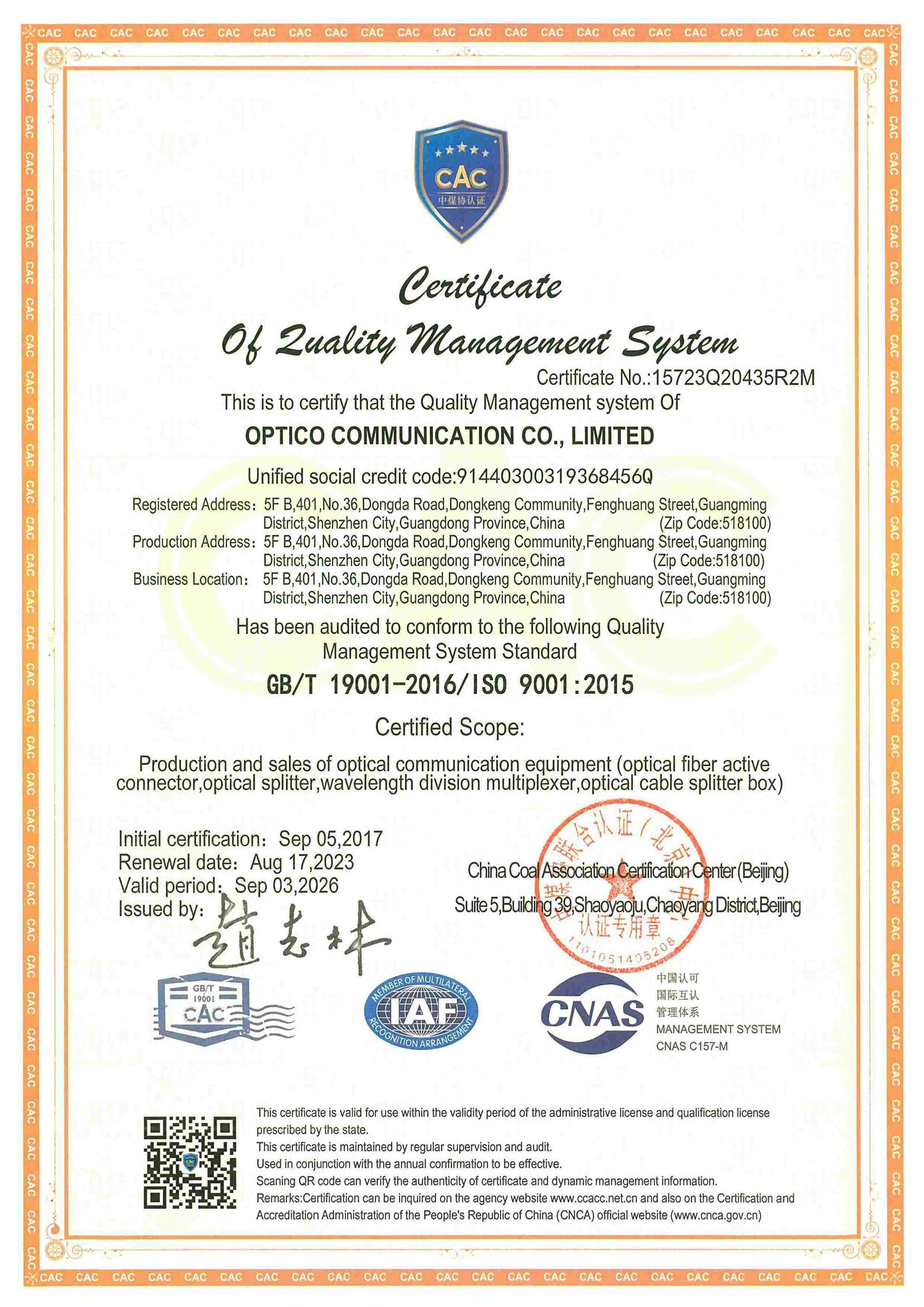


Shenzhen OPTICO Communication Co., Ltd was established in April, 2008. Over the next 13 years, OPTICO expanded and increased its production because of the contracts with many EU Telecom Companies. OPTICO's main products fields including Indoor/Outdoor Fiber Cable, Data Center Fiber Patch cord, PLC Splitter, CWDM/DWDM/AWG/FWDM, SFP transceiver, and Media converter. All of products have passed CE, FCC, ROHS, ISO, ROHS certifications.
Ultimate FAQ Guide to Data Center
We're professional data center manufacturers and suppliers in China, specialized in providing high quality customized service. We warmly welcome you to buy high-grade data center in stock here from our factory. Contact us for more details.
data center server capacity, data center server performance